 UNIBROWSE KNOWLEDGE BASE
The Trustee Digital Toolkit
Everything trustees need in one place
Manage maintenance, track actions, access documents, approve invoices and vote at meetings through Trafalgar's digital trustee platform.
Unibrowse
Maintenance requests, action tickets, scheme documents, invoices and financial information.
Unimeet
Join your AGM online and vote on resolutions with convenience and power.
I want to…
Access my property informationStatements, documents and scheme details.Vote on a resolutionCast your vote before or at the meeting.Log a maintenance issueReport a problem and follow it to completion.Approve an invoiceReview the details, then approve or reject.Join an AGMAttend your meeting online with Unimeet.Reset my passwordGet back into your account in under a minute.
New to Unibrowse?
Five steps take you from your first login to your first action ticket.
1
Activate your account
Set up your account so you can start using Unibrowse.
2
Log in
Sign in to Unibrowse with your login details.
3
View documents
Open your scheme documents and statements.
4
Set notification preferences
Choose how and when you want to be notified.
5
Log your first action ticket
Report an issue and follow it through to the end.
Find what is meant for you
Unibrowse helps trustees
Run your scheme with a clear record of what was asked, decided and done.
Track maintenance requests
Monitor action items
Access scheme documents
View financial information
Communicate transparently
Maintain governance records
60-second video tutorials
Short guides, named after the job you need to get done. Hover a video to preview it.

Find your way around the Owner Dashboard
A tour of everything on your dashboard.

Approve or reject an invoice
Review an invoice and make the call.

Log an action ticket
Report an issue and track it to completion.

Cast your vote online
Vote on resolutions with Unimeet.

View financial reports
Find and read your scheme financials.
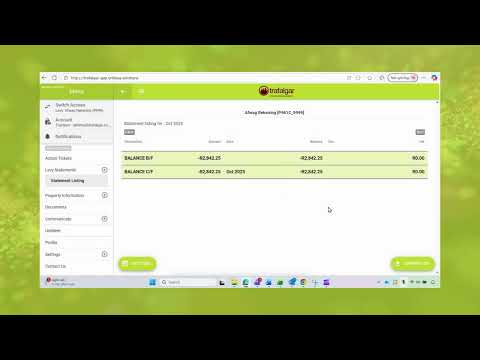
View and download your levy statements
Get your statements when you need them.

Reset or change your password
Get back in, or set a new password.

Turn on push notifications (desktop)
Never miss an update from your scheme.

Turn on biometric security and notifications (mobile)
Sign in with your fingerprint or face.

Save Unibrowse to your phone
Add a shortcut to your home screen.

The benefits of Unibrowse
Why trustees and owners use it.
Coming soon
Understanding action tickets: why they matter
How they improve accountability and what trustees can expect.

UniBrowse Introduction video
A quick introduction to Unibrowse.
The water leak, start to finish
See how one action ticket follows a leak from the first report to a closed job.
Step 1
Owner reports leak
Step 2
Trustee reviews
Step 3
Contractor assigned
Step 4
Progress updates sent
Step 5
Ticket closed
Answers to common questions
Monthly video series
Trustee Tip of the month
One short video each month on one thing that makes trusteeship easier. Also on the Trafalgar WhatsApp channel.
Need a hand?
Email Unimeet support and we will help you get set up for your meeting.
Visit74 St Andrew Street, Birdhaven, Gauteng
© 2026 Trafalgar Property Management and Financial Services